OmniGraffle
- Ease of Use - 7/107/10
- User Interface - 8/108/10
- Value for Money - 8/108/10
Summary
OmniGraffle has been here for quite sometime now and is deemed one of the finest tools for creating precise and beautiful graphics. It caters to several professionals, like designers, artists, diagrammers and data mappers. It’s easy to get started, and is the answer to the Microsoft Visio as it is only available for Mac and IOS. It comes in both Standard and Pro versions, depending on the usage, one can choose which one to go for.
Introduction
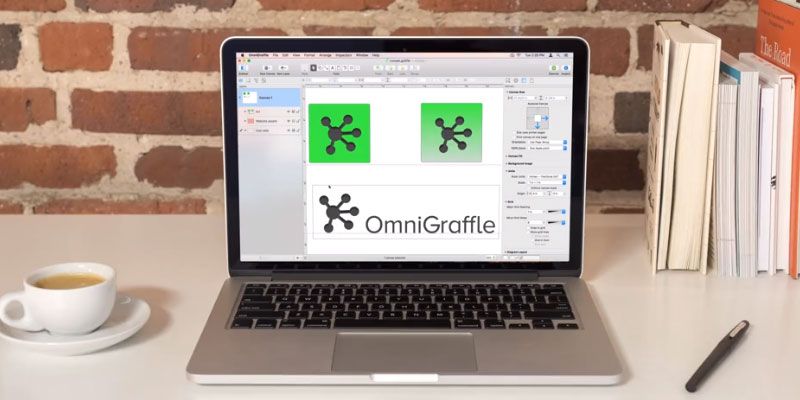
Available for Mac and IOS separately it is an all in one tool for designers for building vector graphics, diagrams, wireframes, user flows etc. The current OmniGraffle 7 Pro, is packed with multiple features like artboards, converting text and lines to shapes, keyboard shortcuts, SVG import, automation with JavaScript or AppleScript among many others. For the first time users the user interface might look a bit difficult to understand, as it is a powerful software, but once you get a hang of it, OmniGraffle surprises you in the right way. You can use several available stencils and templates for free to get started. If someone is more comfortable with drawing vector graphics on Illustrator, you can easily import them to OmniGraffle without any problem.
Features
Sharing
Its very easy to share tiny elements or mockups with a coworker, friend or a client.
Canvas
The work on OmniGraffle happens on the never-ending canvas. You can resize it and take it in any direction you want without worrying about the limited space, which happens in other applications.
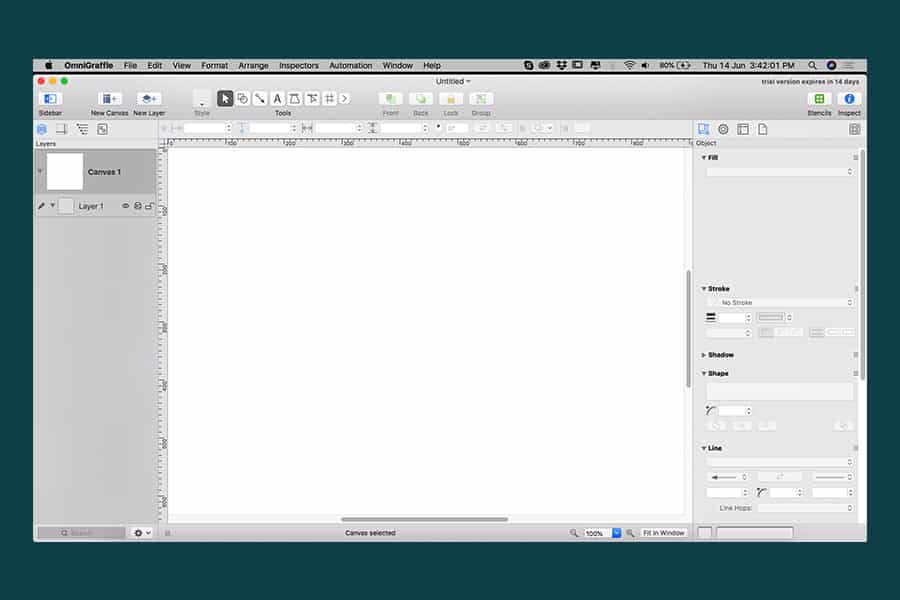
OmniGraffle User Interface
Exporting
One can export their files to multiple file formats like SVG, PNG, EPS, PDF and many many more. What’s more, one can even export them in the sizes and resolutions of their choice.
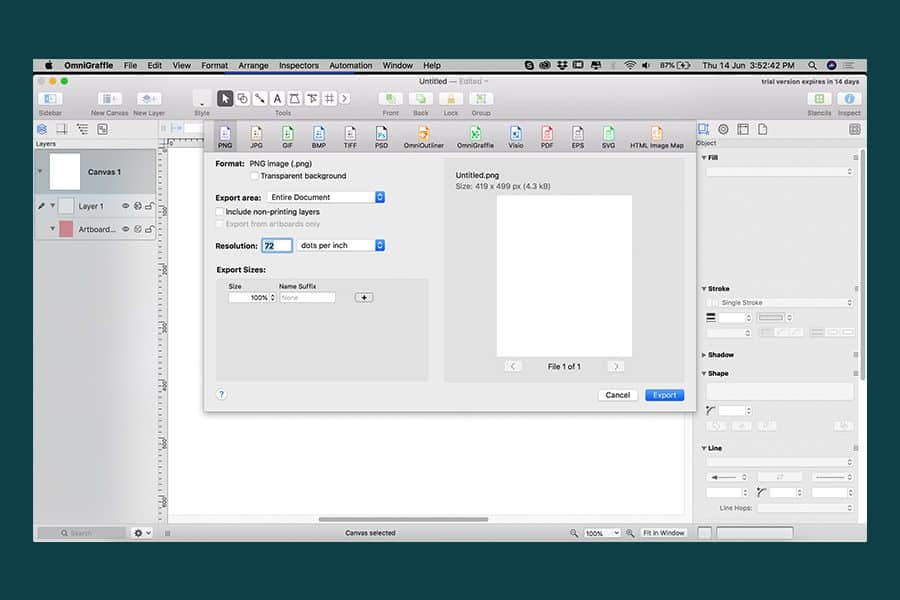
OmniGraffle Export
Importing
It imports Illustrator and Photoshop files seamlessly. Not only that, the new version even has SVG import now, which means you can get all the layers with which you can work on later.
Artboard
Although only available in the Pro version, it is easy to work with an artboard as you can group the objects to an artboard and then move them together without selecting them individually. It is also easy to export individual objects through the artboard.
Different versions
Depending on the type of work, one can decide which version to use, Standard or Pro. Both of which are available for different prices. It’s not that you will be limited with the Standard version as it is still very powerful but Pro just adds additional robust features. If you are confused about which one to select, then you can go for a 14-day trial version, in which you can try both the versions or you can just buy the Standard and later always upgrade to the Pro version.
Keyboard shortcuts
It always gets easy to use something when you have keyboard shortcuts. In OmniGraffle, you have endless shortcuts which you can change and make at your convenience. It has an option of selecting the Adobe and Sketch shortcuts, which means it will adapt itself according to the shortcuts which you are more comfortable with using rather than introducing a new set. Plus in the Pro version, you can share your shortcuts with others so that they can quickly pick it up as well.
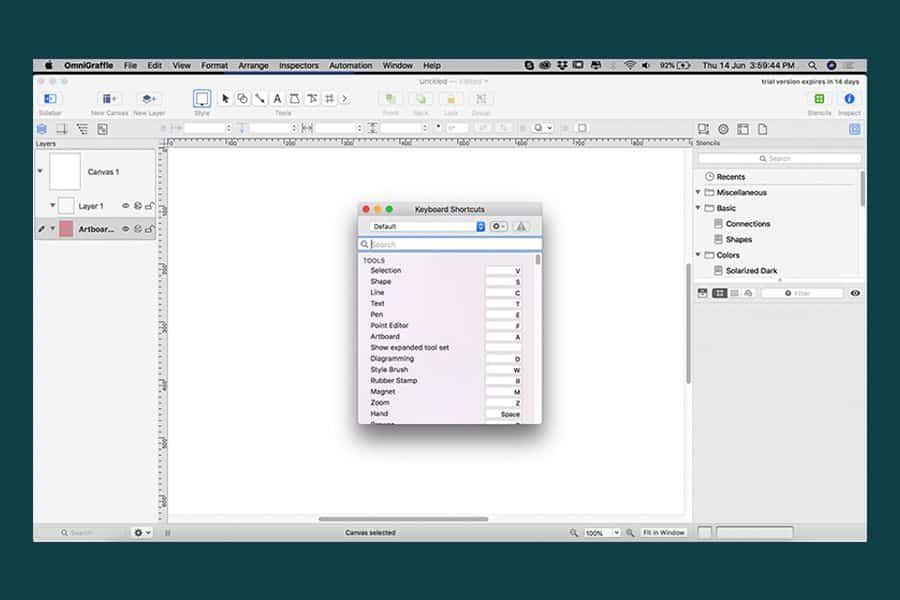
OmniGraffle Keyboard Shortcuts
Converting to shapes
In the new Pro version, you can now convert your text and lines to shapes, which gives you greater flexibility and you can make changes to the text according to your wish.
Everything under one umbrella
OmniGraffle offers users a wide variety of features. Illustrator can be difficult to learn for non-designers and it is not meant for creating quick wireframes. This is something you can do with Omnigraffle, plus in the Pro version, you can almost do what Illustrator does, for what it can’t do it makes up for it in speed.
Pricing
The good thing about OmniGraffle is that you just have to pay once and is licence based. Although it might burn a hole in your pocket considering that one has to purchase the application separately for MacOS and iOS, but if you believe in rapid working and easy sharing, then this is the application for you.
For MacOS
Standard: $99.99 USD
Pro: $199.99 USD
IOS
Standard: $49.99 USD
Pro: $99.99 USD
They have separate pricing for bulk orders and educational purposes. You can get in touch with their support to get more details regarding the pricing.
OmniGraffle Support
OmniGraffle customer support is commendable and the developers actually listen to the users. You can either call, mail or tweet them and they respond within an acceptable time period. The application is available both through their official website as well as on the App Store. The product purchased will be identical although you can’t migrate from one store to another. They even offer a 30-day guarantee on all the products purchased from their website.
Pros and Cons of Omnigraffle
Pros
- Highly intuitive
- Cross-platform functionality
- Available in different versions
- Easy import and export
- Very fast
- Easy sharing
- Adaptable keyboard shortcuts
- One time payment
- Huge Canvas to work on
- Meant for a lot of professions
- Different kinds of work on one platform
Cons
- Separate purchase for MacOS and IOS
- Only available for MacOS and IOS
- A slightly complex learning curve
Conclusion
OmniGraffle is an amazing tool for quick working if you use a Mac. Sharing, exporting, importing is quite easy. It gets smooth upgrades now and then which improves the experience. It is a modern tool which sits perfectly in competition with other vector drawing tools on the market. What makes it special is that it has a wide range of features which others don’t. It has a 14-day trial period, so you can go ahead and decide for yourself if this is the tool best suited to your needs.